

Business analytics tools help you spot trends, measure performance and make informed decisions.
This article examines seven leading business analytics tools, highlighting their notable features, typical use cases and key factors to consider when selecting a tool.
What are business analytics tools?
Business analytics tools collect cross-departmental data and generate insights that provide product, marketing, and finance teams with a single, unified view of organisational performance.
Teams across the company can use these platforms to track outcomes, understand why things happened and make predictions. In some cases, analytics tools will have features like A/B analysis to put hypotheses to the test.
For example, an organisation could collect information on their new marketing campaign. Suppose they notice that conversions for one landing page are significantly lower than those for other landing pages. In that case, they can use session recordings to investigate further and A/B testing tools to experiment with potential solutions.
Business analytics tools vs business intelligence tools
Business intelligence platforms focus on descriptive analytics. BI platforms explain business performance through dashboards, reports, and historical trend analysis. They help teams monitor KPIs, track performance, and benchmark results.
Business analytics tools use predictive and prescriptive analytics to help data analysts explain why something happened or what is likely to happen through statistical methods, machine learning models, and forecasting techniques.
Many of today’s platforms blend BI and business analytics capabilities so businesses can analyse both past performance and future opportunities.
Common business analytics use cases
Business analytics tools can be applied across departments to analyse operations and guide strategic decisions. Their most common applications and categories include:
- Reporting & dashboards: Track KPIs, visualise performance, and forecast quarterly and annual revenue projections.
- Customer journey mapping: Visualise user journeys to understand user needs, tailor offerings and personalise experiences.
- Customer segmentation: Use Cohort analysis to segment customers by behaviour patterns. By uncovering correlations and anomalies, you can identify the highest risk of churn and take proactive steps to retain customers.
Reviewing 7 leading business analytics tools
In this section, we’ll review seven leading platforms that cater to different user needs, explaining their features and typical use cases.
Before getting into the detailed overviews below, here’s a quick snapshot of the seven platforms we’ll cover (and the business needs they’re best suited for).
| Tool | Best for |
| Matomo | Organisations that need privacy‑focused web analytics. |
| Tableau | Large enterprises & data‑centric organisations. |
| Domo | Cross-functional teams looking for ETL & dashboards. |
| Google Looker Studio | SMBs, startups and marketing teams on a budget. |
| Sisense | Teams that need embedded analytics or complex modelling. |
| Zoho Analytics | SMBs that want affordable AI-powered BI. |
| Microsoft Power BI | Businesses that need affordable BI & Microsoft compatibility. |
1. Matomo
Matomo is an open-source, privacy-focused business analytics platform that’s trusted by over one million websites in more than 190 countries.

Matomo’s analytics solution goes beyond simple visitorweb tracking to give you all the customer data and tools you need to run detailed visitor analysis of your visitors, their behavior and how your website contributes to your organization’s success .
Standout features include:
- Near-real-time analytics with live visitor activity monitoring
- Heatmaps and session recordings to visualise user behaviour
- A/B testing tools to optimise pages and improve conversion rates
- Custom reports and dashboards to support decision-making
Matomo is ideal for any team that needs privacy-focused analytics, full data ownership, and GDPR compliance support.
2. Tableau
Tableau software from Salesforce is a data analytics platform that’s best known for its visualisation capabilities.
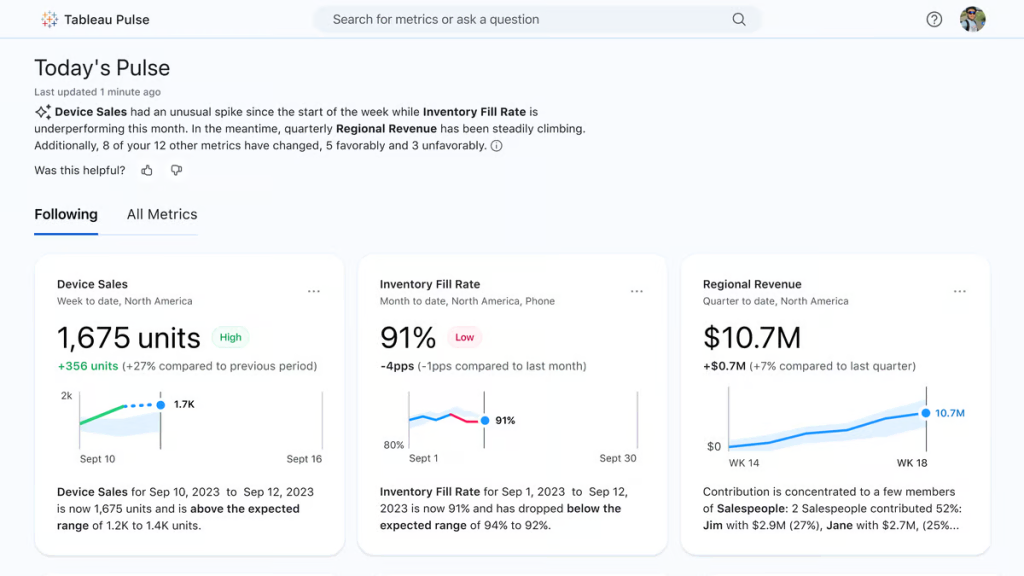
Users can connect Tableau to almost any data source, drag and drop to create visualisations and share insights with their team members.
Standout features include:
- Drag-and-drop interface
- Mobile-responsive, interactive dashboards
- Advanced analytics, including forecasting and time-series trend analysis
- Enterprise-grade security and governance features
Tableau software is a good choice for organisations that want visualisation-focused data analysis tools.
3. Domo
Domo is an artificial intelligence (AI) platform that has a range of data analysis tools to help you visualise and optimise business performance.

Domo offers a comprehensive solution, including ETL processes, data visualisation and embedded analytics.
Standout features include:
- Extensive connector library
- Interactive dashboards with drag-and-drop functionality
- Real-time data processing and dashboard updates
- AI-powered insights with generative AI chatbots
The all-in-one nature of the platform makes it a good choice for organisations looking to integrate AI into their analytics workflows.
4. Google Looker Studio
Google Looker Studio, formerly Google Data Studio, is a free data visualisation tool that pulls together data from different platforms into one dashboard.
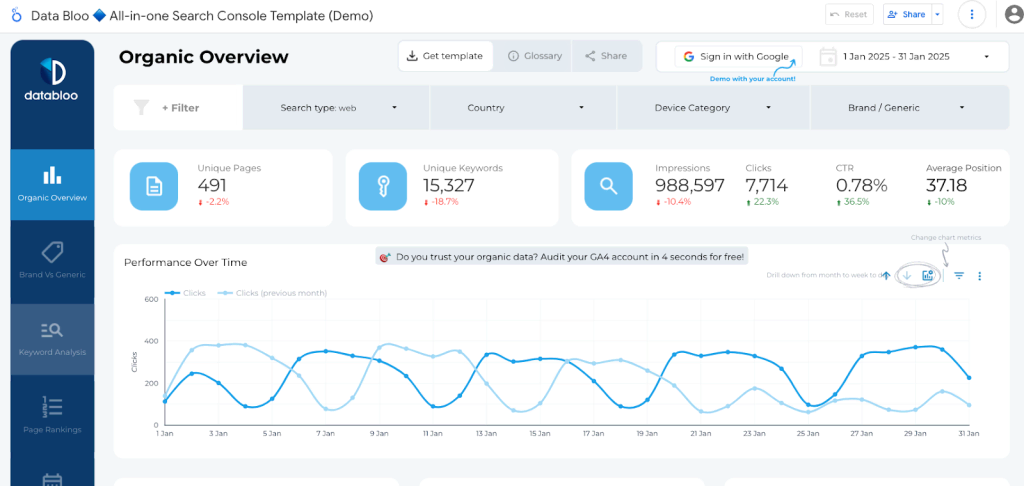
Looker Studio helps business analysts turn raw data into informative, easy-to-read, and fully customisable dashboards and reports.
Standout features include:
- Drag-and-drop report builder interface
- Extensive connector library (includes third-party data sources)
- Integration with Google products and services
Looker Studio is a wise choice for small businesses looking for a free solution that integrates easily with the Google ecosystem.
5. Sisense
Sisense is an AI-powered analytics platform that makes it easy for enterprises to run complex data modelling and analytics tasks.

The platform also offers a leading AI tool, Sisense Intelligence, which helps you pull insights faster. For example, you can ask the conversational assistant dashboard-specific questions and get detailed answers immediately.
Standout features include:
- Statistical analysis with AI algorithms and machine learning models
- Custom dashboards with extensive visualisation options
- Advanced security features, including SOC 2 Type II, ISO 27001, and ISO 27701
Enterprise teams will find particular value from Sisense’s sophisticated features, scalability and advanced security.
6. Zoho Analytics
Zoho Analytics is a self-service cloud BI and data analytics platform.
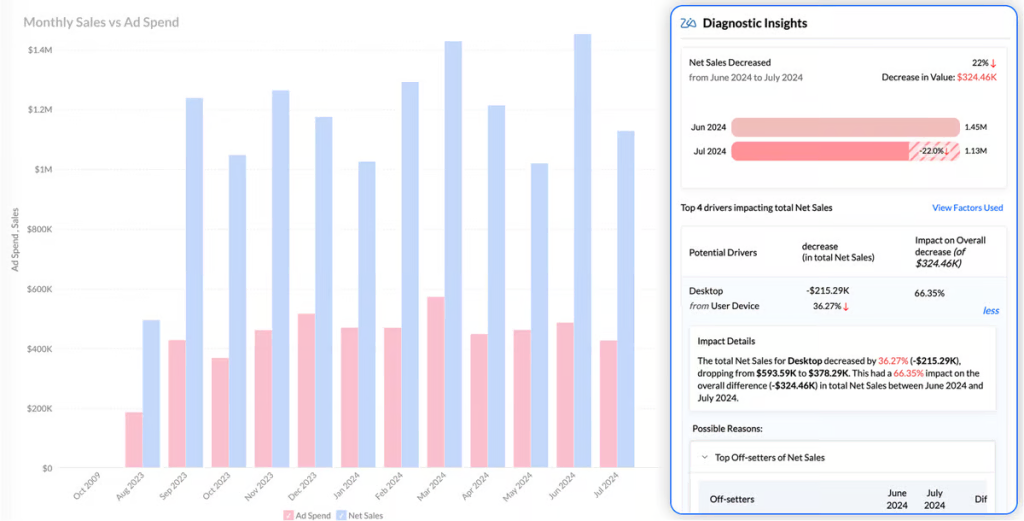
Zoho offers agentic AI tools that help you create and manage data pipelines, transform data and perform predictive analysis. It also helps data analysts, data scientists, and engineers prepare data for analysis and interpretation.
Standout features include:
- AI-powered conversational analytics
- Predictive analytics, including forecasting and anomaly detection
- Mobile BI tools
Zoho is a sensible choice for small to medium businesses that want affordable BI software with an AI emphasis.
7. Microsoft Power BI
Microsoft Power BI is a leading data visualisation tool that’s part of the Microsoft Power Platform.

Power BI is a unified platform enabling both self-service analytics and enterprise business intelligence with AI insights and exceptional security.
Standout features include:
- Highly customisable dashboards
- Real-time dashboard updates and monitoring
- AI-powered insights with natural language processing
- Native data integration with Microsoft 365, Teams, and Azure
It’s a great choice for organisations that already use the Microsoft ecosystem and need a cost-effective BI platform.
What to look for in a business analytics tool
There are several important things to consider alongside your business needs when choosing an analytics or BI tool. Here are a few to keep in mind.
Customisation options
Few business analytics tools are going to be ready out of the box. The best ones let you customise the platform to meet your requirements.
Customisation can take many forms beyond changing layouts and colour schemes. Look for a tool that lets you change the following:
- Default measurements
- Dashboard layouts
- Field names
- Access controls
- Privacy controls
Matomo’s free and open-source platform allows for deep customisation so that you can set everything from automated reports to dashboard widget refreshes to meet your specific needs.
Scalability
As your organisation grows, you’ll want a business analytics tool that grows with it. A scalable platform will be able to handle increased data loads without sacrificing performance or tripling the price of your monthly subscription.
Ease of use
The quicker your team can familiarise themselves with your business analytics platform, the sooner they’ll be able to start generating insights.
Look for platforms that offer:
- Detailed onboarding workflows
- Customisable dashboards
- Extensive knowledge base and community resources

At Matomo, for example, our in-depth guides explain how to get started with some of our more advanced features. Beyond that, masterclasses demonstrate how to utilise the platform for specific purposes, such as multi-touch attribution and privacy-friendly analytics.
Interactive dashboards
Your business analytics platform should make data usable, not just visible. Self-serve interactive dashboards let users quickly explore data and drill down for more information as needed.
Near-real-time reporting can be invaluable. Not only will it ensure your team is working from the freshest data, but it will also help you track the success of initiatives like a new product launch or advertising campaign and react accordingly.
Advanced functionality
Plenty of business analytics tools can tell you what has happened in your business, but only a few will tell you why something happened and, even better, how you can fix it.
Advanced functionality, such as screen recordings, A/B testing, forecasting and anomaly detection, can make data even more actionable without requiring third-party tools.
If your team needs:
- Multi-channel attribution, heatmaps or session recordings → Consider Matomo.
- Predictive modelling or anomaly detection → Consider Zoho or Sisense.
- AI‑powered insights with chatbots → Consider Domo or Power BI.
Privacy and compliance
Some organisations can’t afford to use a platform that doesn’t respect customers’ privacy or offer 100% data ownership.
If your team needs:
- Data privacy support or full data sovereignty → Consider Matomo.
- Enterprise‑grade security → Consider Sisense.
If privacy’s a priority, focus on platforms that can be configured to comply with the GDPR, CCPA and other data privacy regulations. Look for solutions that offer on-premise deployment and data storage options, and privacy-centric features like:
- Opt-out mechanisms
- Data anonymisation tools
- Customisable cookie expiration
Integrations
If you’re pulling data from across your operations, integrations will likely be an essential factor. While you don’t necessarily need a platform that integrates with thousands of platforms, you should look for a tool that connects with the main systems you use.
Standard ecommerce integrations include:
- CRM platforms
- Ecommerce tools
- Consent management platforms
- Ad platforms
- Marketing automation software
- Email marketing tools
Look for platforms that offer native integrations as well as API connections, as this will increase the likelihood of being able to connect to less common or legacy systems.
Trust Matomo for privacy-focused business analytics
Business analytics tools have become essential for organisations seeking to transform their operational data into strategic insights.
It’s essential to select a business analytics tool that aligns with your business’s needs and requirements. The key is to evaluate your specific use cases and choose a tool accordingly.
If you care about privacy and want to analyse all of your marketing and web data, Matomo is an excellent choice. To try it out, start your 21-day ftree trial (no credit card required).