How do I log in to my account when I cannot verify my account using 2FA – no mobile device access
As part of the two-factor authentication set up, you’ll need to download or copy a set of recovery codes which you can use when you lose your mobile device, or when you simply cannot access the device to generate the authentication code.
Please treat your recovery codes with the same level of security as you would your password. We recommend saving them for example in a password manager.
Using a two-factor authentication recovery code
The same Matomo form will accept either a single use-recovery code or a normal 2FA from your device.
We recommend saving recovery codes in your password manager. It may have been a long time since you received them. If you can’t remember where you stored them, try looking in your password manager. Enter your recovery code as follows:
- Type your username and password to prompt authentication.
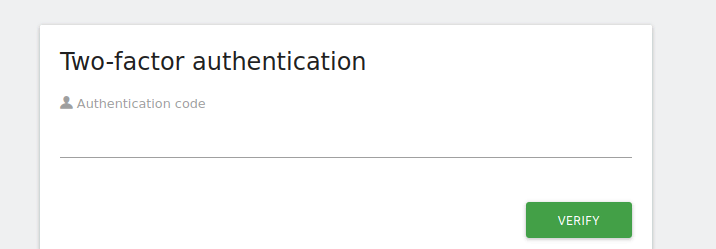
- The “Two-factor authentication” screen will show the
Authentication codefield. - Enter your two-factor recovery code in the
Authentication codefield (the same field which normally accepts your device-generated code). - Click Verify.
- Remember to delete the code from where you saved it: it can only be used once.
Once successfully logged in, proceed to set up two-factor authentication on your new device.
Each recovery-code will only work once, so we also recommend deleting the used recovery code from your password manager.
When you don’t have access to your mobile device or your recovery codes
As soon as you have used all recovery-codes, you won’t be able to log in anymore. If you have used a few recovery-codes, you may want to generate new recovery-codes by going to Administration  > Personal > Settings.
If you do not have access to your mobile device anymore but you still have access to recovery code, use the steps above to set up two-factor authentication on another device (each recovery-code will only work once so it’s important to not use this technique often).
If you have no access to your mobile device and no recovery codes, you need to contact a superuser and ask them to reset your password for you.
(On-Premise) If you are a superuser and are unable to log in, you can disable two-factor authentication through the command line
$ ./console twofactorauth:disable-2fa-for-user --login=yourlogin
or if you use Matomo on our Cloud, get in touch with our support.