
How do I download or export a generated heatmap?
Cloud On-Premise
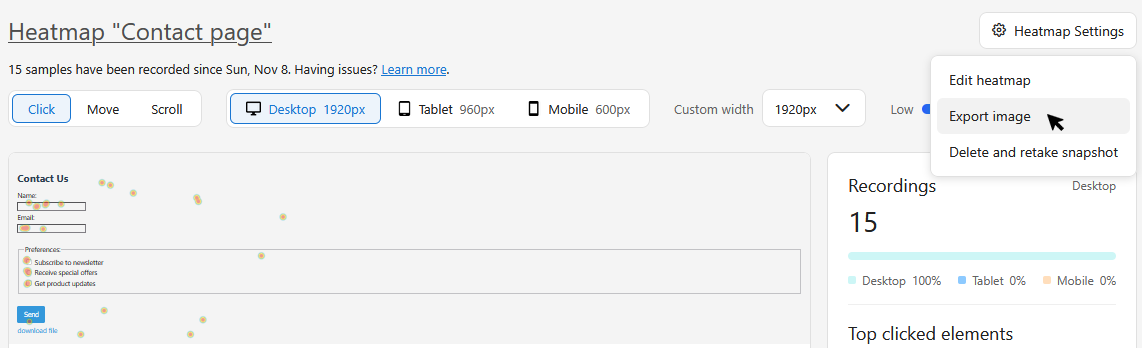
You can download a heatmap directly from Matomo using the Export image option. This allows you to save the heatmap as an image for sharing, presentations or reporting outside Matomo.
To export a heatmap, you need admin or superuser permissions for the website in Matomo.
- In Matomo, go to Heatmaps and open the heatmap you want to export.
- Select the Click, Move or Scroll report.
- Select the required Device Type and Width.
- Open Heatmap Settings and click Export image.

If you are using an older version of Matomo that does not include the Export image option, you can use a full-page screenshot tool or browser extension to capture the heatmap.
For more information on viewing and interpreting heatmap reports, see Analyse heatmaps.