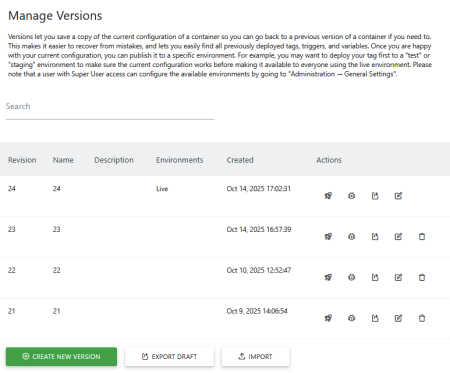
Manage Versions in Matomo Tag Manager
By managing Versions in Matomo Tag Manager, you can save a copy of the current container configuration and restore previous versions of a container if needed.
After working on a container, save a version to a test environment for other users to review and collaborate on before publishing live. Having Versions let you manage and control changes to your tracking setup. Each time you publish a container, Tag Manager saves it as a new version. By providing descriptions of changes, you get a clear history of what changed and when.
Container versions let you test, publish, and roll back tracking changes without editing your website code each time.
After testing the container configuration, you can publish it to a specific environment. Use the default environments provided (Dev, Staging, Live) or superusers can configure custom environments.
For example, you may want to deploy your tag first to a test or staging environment to make sure the current configuration works before going to the live environment.
You can also import and export containers to migrate configurations or restore a previous version.