
Anonymise Ecommerce order IDs
Cloud On-Premise
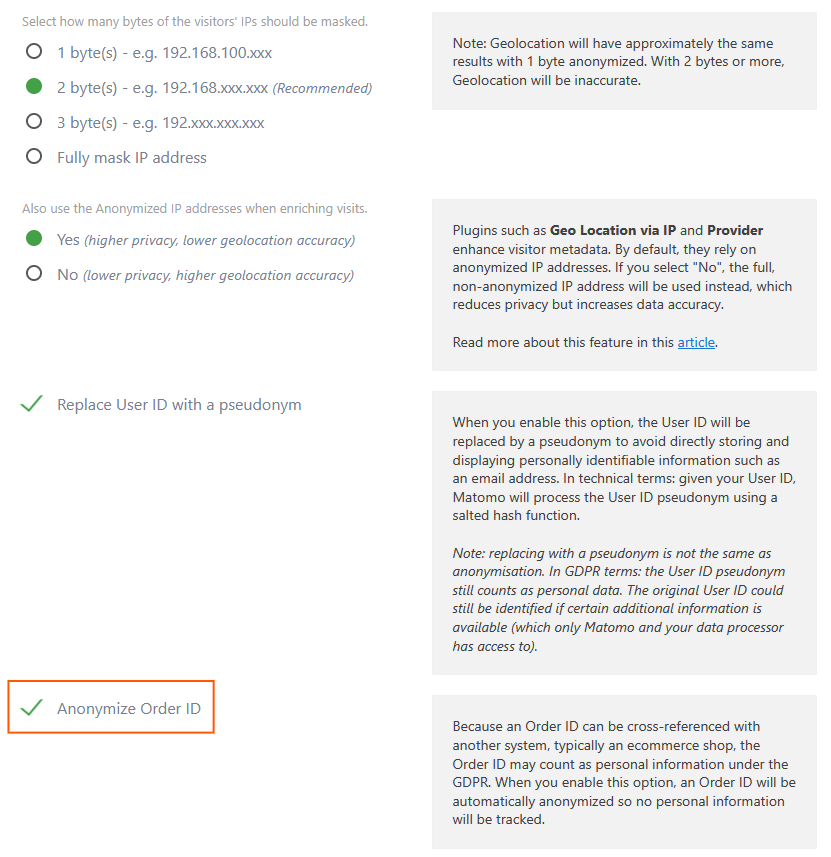
To prevent Matomo from storing and collecting Ecommerce Order IDs, you can enable the website’s privacy setting to Anonymize Order ID. This reduces the risk of collecting potentially identifiable or sensitive information in your analytics data.
- In Matomo, go to Administration
 > Privacy > Anonymize data.
 - Scroll down to the setting, Anonymize Order ID and enable it by selecting the checkbox.
- Click Save.
For CNIL consent exemption, this setting must be enabled. Ecommerce Order IDs may be considered personal data, particularly if they can be linked to an individual. Disabling their storage helps ensure that data collection remains limited to anonymous audience measurement.